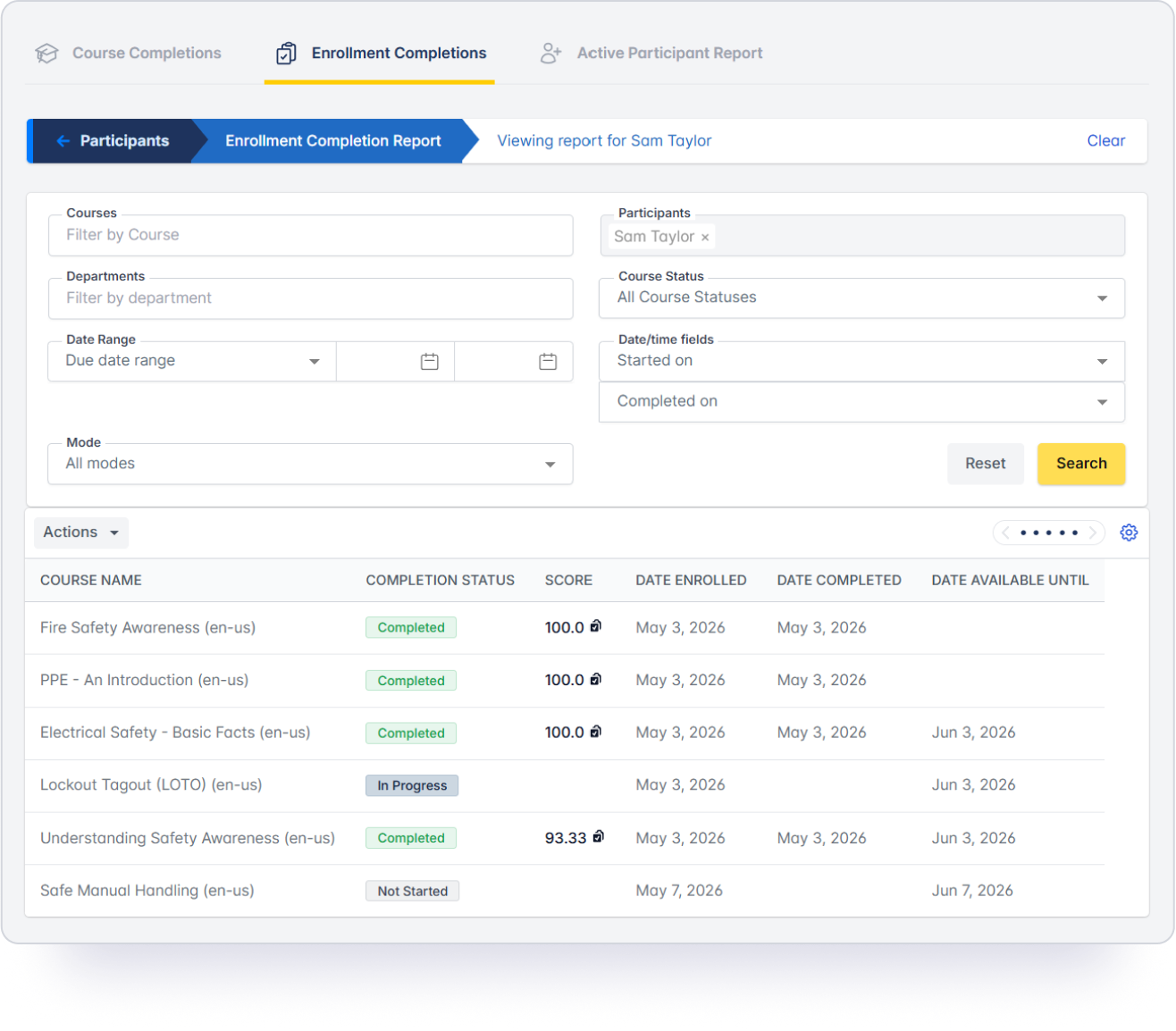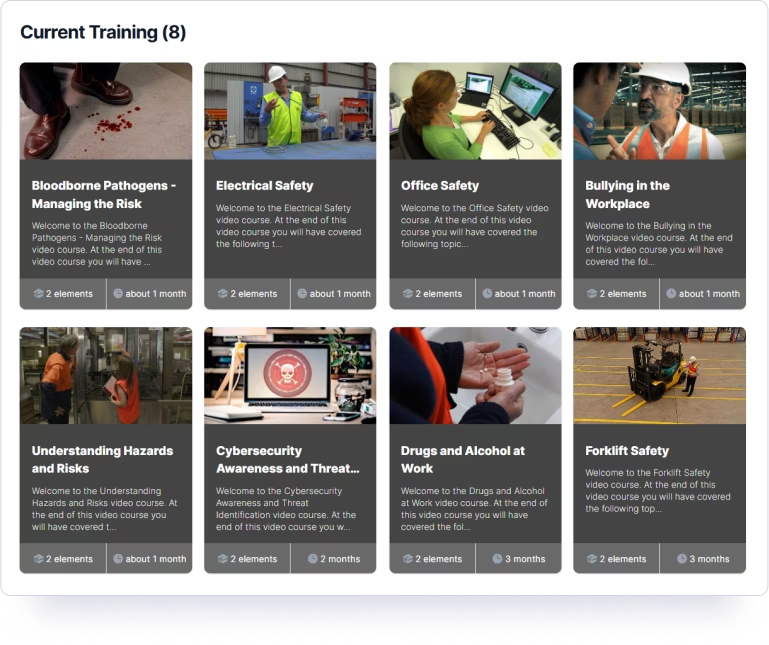
Once training is assigned, Safetyhub notifies your team, follows up with reminders, and tracks every completion.
 Automatic notifications keep your team informed when they're assigned a course, with reminders sent as their training deadline approaches.
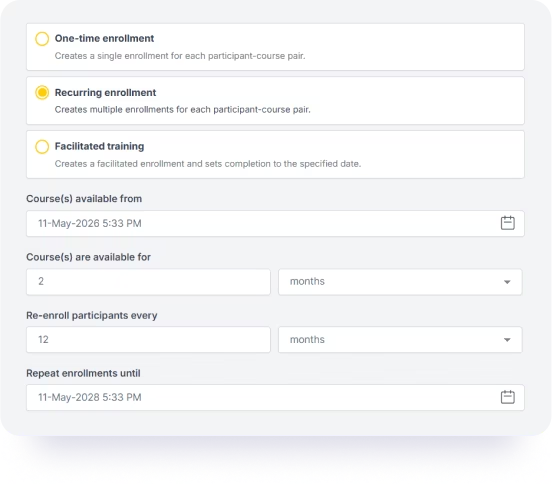
Assign training once and set a recurring schedule. Safetyhub handles every re-enrollment automatically, so your compliance training always stays on track.
Log in-person and group safety training sessions directly in the LMS, so every completion is tracked in one place regardless of how it was delivered.
Choose how your team engages with their training, with questions embedded throughout the video or the option to complete the assessment at the end.
Add unlimited administrators to manage training across departments, locations, or your entire organization.
Automatic notifications keep your team informed when they're assigned a course, with reminders sent as their training deadline approaches.
Assign training once and set a recurring schedule. Safetyhub handles every re-enrollment automatically, so your compliance training always stays on track.
Log in-person and group safety training sessions directly in the LMS, so every completion is tracked in one place regardless of how it was delivered.
Choose how your team engages with their training, with questions embedded throughout the video or the option to complete the assessment at the end.
Add unlimited administrators to manage training across departments, locations, or your entire organization.
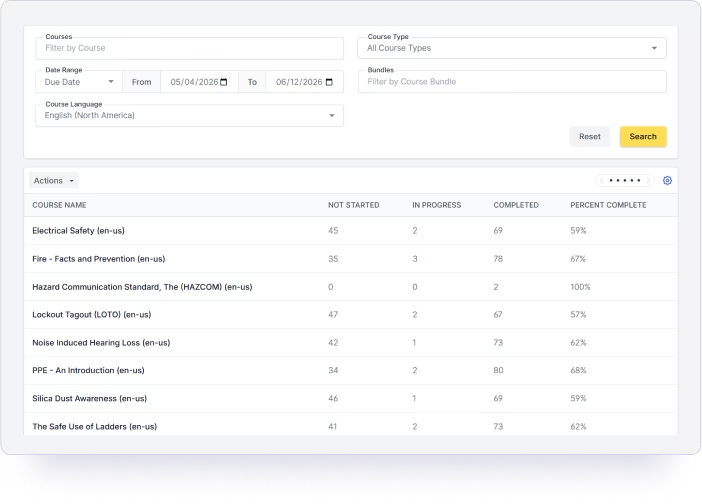
No spreadsheets, no manual tracking. Real-time safety training reports whenever you need them.
Run reports by individual, course, department, or location.
Filter by completed, in progress, or overdue, and export as a CSV or PDF to store locally on your own device.
Get notified by email when a team member completes a course or their training becomes overdue.
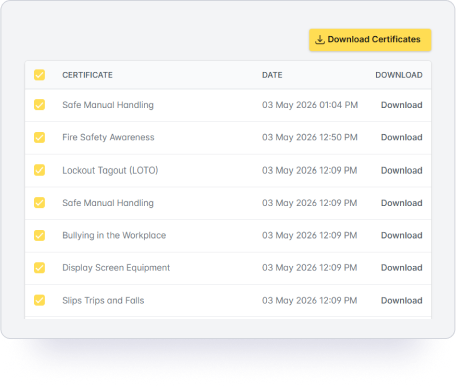
Download completion certificates the moment a team member finishes a course.
Whatever safety training your business runs, Safetyhub gives you the tools to deliver it online and track every completion.
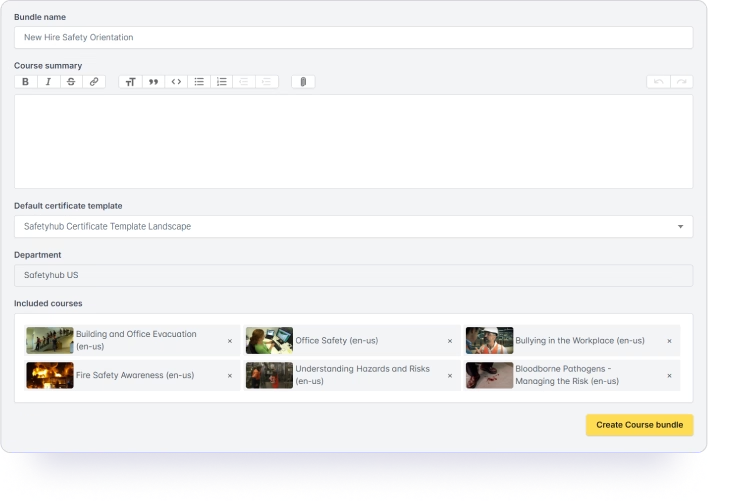
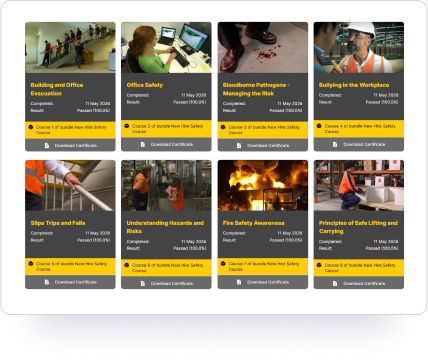
Perfect for employee onboarding or role-specific workplace safety training. Group multiple courses into a single bundle and assign everything at once, so new starters or specific roles get exactly the training they need from day one.
Most customers are set up and training on day one.

Whether switching from another Learning Management System or setting one up for the first time, you'll be up and running on day one with a dedicated account manager.
Optional 20-minute onboarding session, or set up on your own. It's that straightforward.
Every customer gets a dedicated account manager, reachable by phone or email.
Your team needs no training to log in and complete their first course.
Start assigning training on the same day you subscribe.
All plans are ready the same day you subscribe. Most customers get started using our starter guide, with the option of a 20-minute onboarding session with your account manager if you need it.
No — the platform is designed to run without IT involvement. The one exception is Single Sign-On (SSO), which is available on the LMS plan and requires a straightforward IT configuration. Your account manager will guide your team through it.
Yes. SSO is available on the Video Streaming + LMS plan. Your team logs in using their existing company credentials — no separate Safetyhub password required. Your IT team handles the configuration, and your account manager supports them through the process.
Yes. You can enroll one person, a department, or your entire organization in just a few clicks. Training can also be assigned to groups by department or location.
Yes. Set a training schedule once and Safetyhub automatically re-enrolls your team when it’s due — annually, quarterly, or on whatever cycle suits your compliance needs. Notifications and reminders are sent automatically.
Safetyhub sends automatic reminders as deadlines approach and notifies administrators when someone falls overdue. Administrators can also set a grace period, allowing team members to complete training after the deadline has passed.
Yes. In-person, group, and facilitated training sessions can be logged directly in the LMS alongside online completions, keeping all training records in one place.
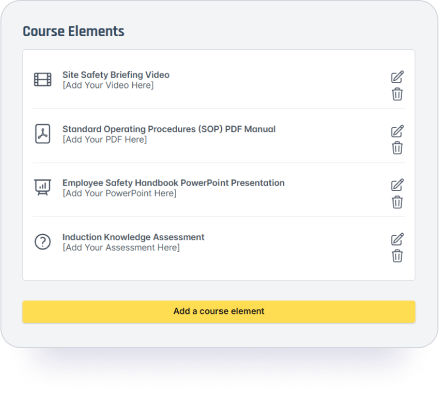
Yes. Upload videos, PDFs, PowerPoints, documents, or your own SCORM files and build them into a course. Add a custom quiz and branded certificate, then enroll and track your team alongside your Safetyhub courses.
Yes. A bundle groups multiple courses into a single enrollment. Each course appears individually on the team member’s training page so they can work through them at their own pace. Ideal for new hire onboarding or annual compliance training.
Real-time reports by individual, course, department, or location. Filter by completed, in progress, or overdue, export the results as a CSV or PDF, and download completion certificates instantly.
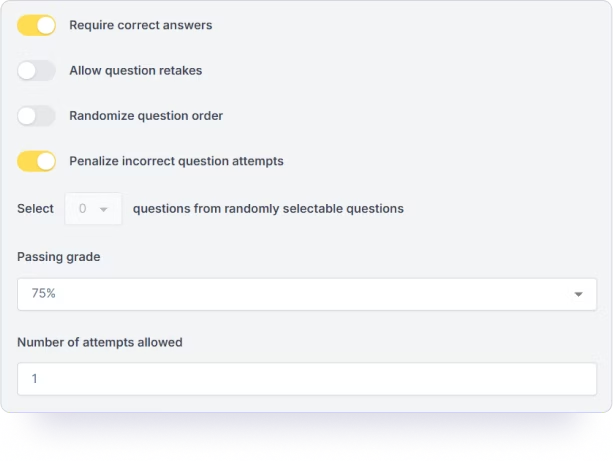
Yes. You can set a custom pass grade for each course to match your internal training standards — ensuring every team member meets the level of understanding your organization requires before they’re marked as complete.
Yes. Interactive mode presents questions throughout the video as it plays, keeping employees engaged from start to finish. Classic mode lets team members watch the full video first, then complete the assessment at the end. Both include a completion certificate upon passing.
Unlimited. Company Admins can be assigned at the top level with access across all departments and locations. Company Managers are assigned to a specific department or location, where they can assign training and pull reports for their department only.
Set their user profile to inactive. Their training history is preserved and their license/seat is freed up for a new team member.
Adding users is simple — just upload a CSV file and your team is ready to go the same day you subscribe.
Yes. LMS subscribers can add their company logo and get a custom subdomain, so employees access training through a URL like companyname.safetyhub360.com rather than a generic link.
Safetyhub is a web-based platform, so it won’t appear in the App Store or Google Play. That said, it’s fully optimized for mobile and works seamlessly on any iPhone or Android browser. You can add it to your home screen for one-tap access and it behaves just like an app from there.
Yes. Start a free 14-day trial with full LMS access — no credit card required and nothing to cancel.